In the field of modern warehousing and logistics, the application of automation technology is becoming more and more extensive, of which Smart AGV is an important part of the development of warehouse automation and logistics.AGV, full name Automated Guided Vehicle, i.e., Automated Guided Vehicle is a kind of transport vehicle which is equipped with automatic guiding device such as electromagnetism or optics and is capable of travelling according to pre-set paths and has safety protection as well as various load shifting functions.
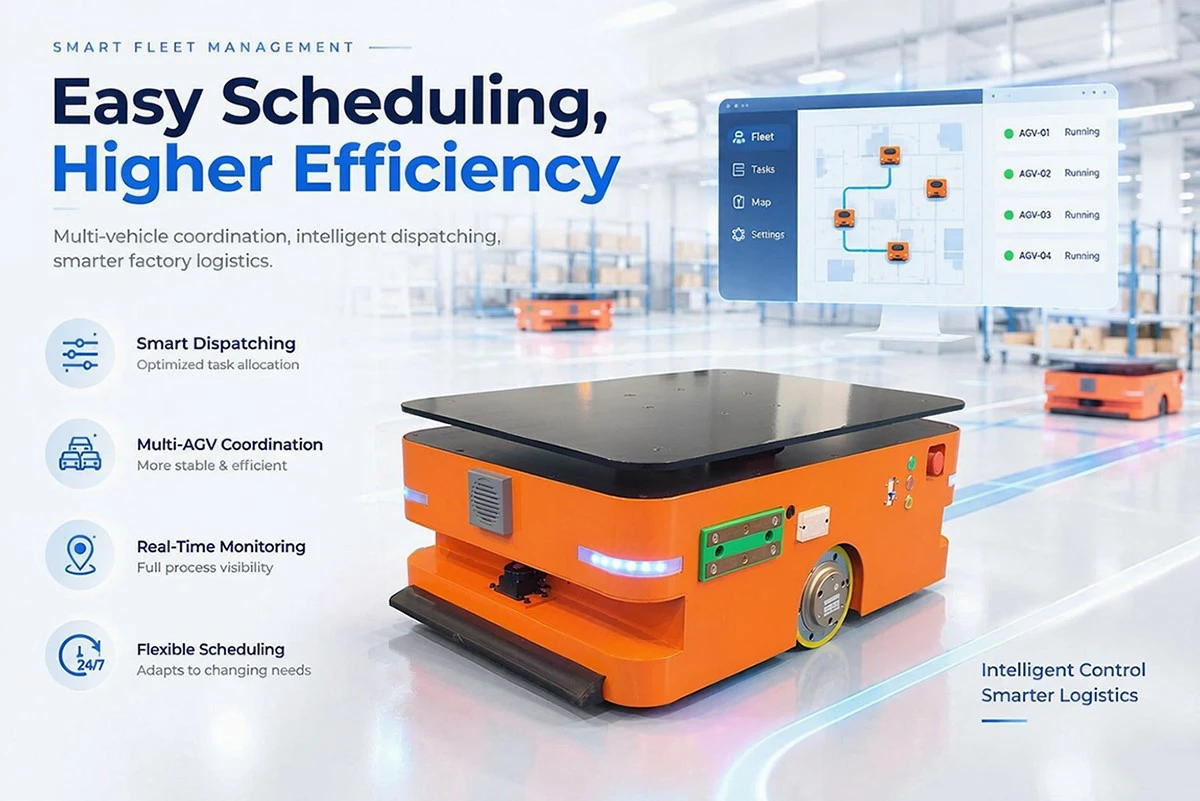
Smart AGVs represent the cutting edge of automation, combining AI, IoT, and machine learning to deliver unmatched efficiency. These self-learning vehicles continuously improve their performance by analyzing operational data, optimizing routes, and predicting maintenance needs before breakdowns occur. Unlike conventional AGVs, Smart AGVs feature adaptive navigation, allowing them to work in dynamic environments with moving obstacles. They support multi-robot collaboration, enabling swarms of AGVs to work in harmony for large-scale operations. With cloud connectivity, they provide real-time analytics and remote monitoring, giving managers full control over warehouse automation. Businesses investing in Smart AGVs gain a competitive edge through faster decision-making, reduced energy consumption, and future-proof automation that evolves with technological advancements.
feature
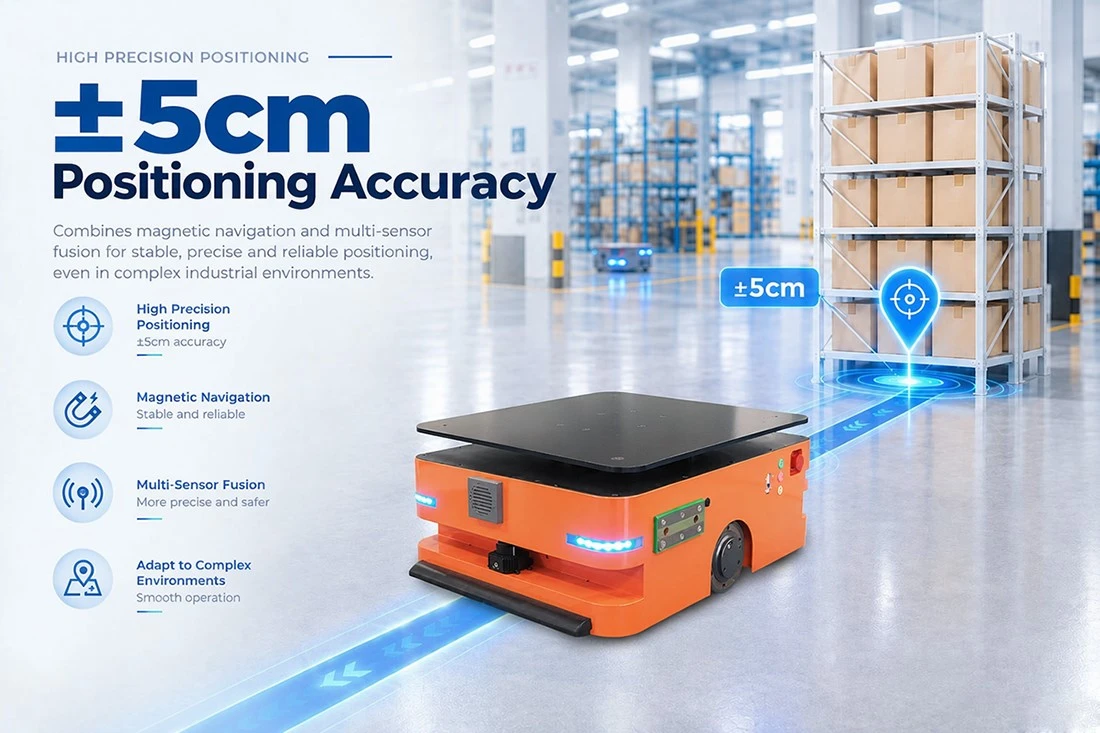
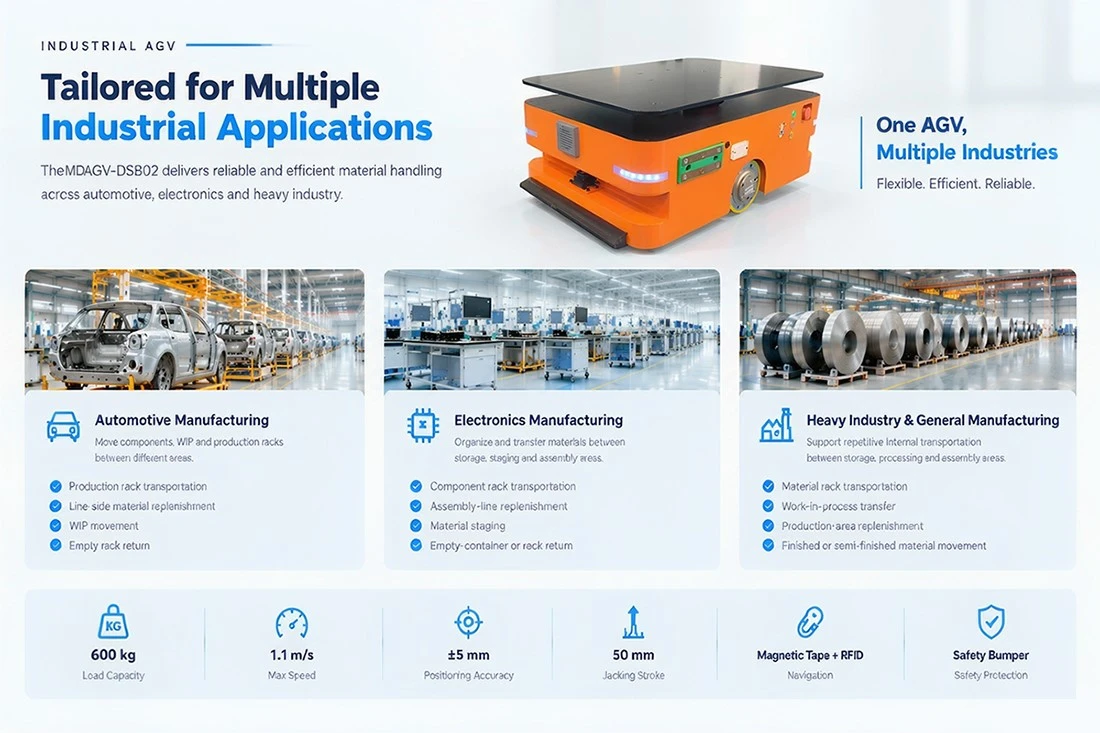
± 5cm high-precision positioning AGV: intelligent handling robot with magnetic navigation and multi-sensor fusion
This AGV intelligent handling robot adopts magnetic navigation and multi-sensor fusion technology to achieve high-precision positioning of ± 5cm, and can still operate stably, accurately, and reliably in complex industrial environments. It is widely used in warehousing and logistics automation scenarios.
01.What is the maximum speed of this AGV? How efficient is the transportation?
The maximum driving speed is 0.8m/s (approximately 2.9km/h), equipped with dual 600W traction motors and a 30:1 reduction ratio. The driving wheel diameter is 160mm, balancing starting torque and smooth operation. The actual pace depends on the length of the path, the number of stations, and the time required for the lifting action - a single lifting/lowering stroke of 50mm and a lifting speed of ≤ 8mm/s. Therefore, it is recommended to optimize the station layout for short distance high-frequency delivery, while long-distance mainline transportation can better reflect the speed advantage. The maximum tracking speed in software debugging mode can reach 1100mm/s, which is used for on-site machine calibration verification.
02.What is the size of the vehicle body? How much space needs to be reserved for the passage and venue?
The overall dimensions of the vehicle are 898 × 560 × 321mm (length × width × height), with a self weight of ≤ 160kg. It belongs to a compact hidden top up body and can travel in both directions in conventional workshop passages. It should be noted that when AGV pulls the material cart, a safety distance of at least 20cm must be reserved on one side of the cart; Other vehicles and personnel are not allowed to pass, share or stay for a long time in the AGV dedicated logistics channel. If the on-site passage is narrow, it is recommended to calculate the minimum turning radius based on "vehicle width+bilateral safety margin" during the path planning stage.
03.How does the lifting mechanism infiltrate the shelf and complete the retrieval and placement?
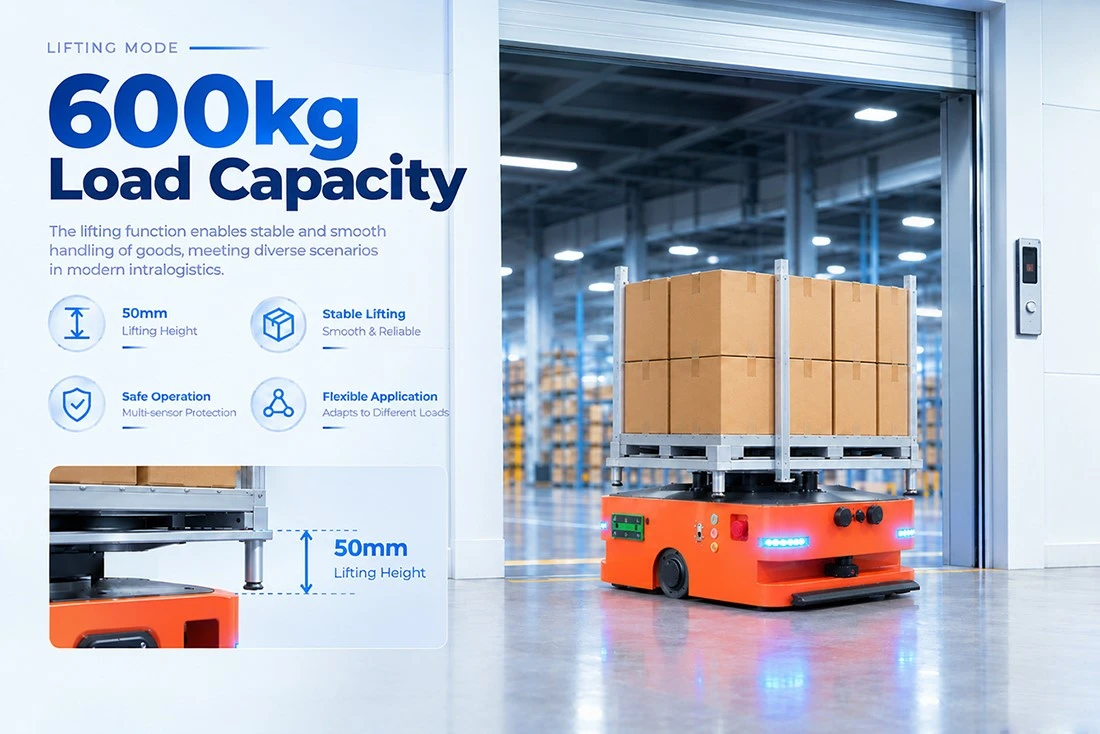
The lifting stroke of the lifting device is 50mm, the lifting speed is ≤ 8mm/s, and the maximum lifting load is 600kg. After the AGV is powered on, it will automatically execute the change process and run to the lowest point to complete the position calibration; Subsequently, according to the pickup/release instructions of the scheduling system, it automatically moves between the lowest and highest points, dives into the bottom of the shelf, and lifts it to achieve automatic handling of the shelf. The lifting mechanism is equipped with a proximity switch to detect high and low positions. It is necessary to add lubricating grease to the screw and intermediate turntable bearings every 1-3 months and pay attention to any abnormal noise during the lifting process.
04.How to debug and configure paths and parameters? What software environment is needed?
Debug through the AGVStudio software provided by the manufacturer. First connect the WiFi of the AGV, then open the device connection window and connect according to the factory network configuration; After successful connection, the software will automatically read the vehicle status and enter the "Debugging" page to call up the "Button Simulation" and "Magnetic Navigation Debugging" components. In the magnetic navigation debugging, use the default parameters and click "Enter Debugging Mode". The vehicle will track along the magnetic stripe, and can switch the front and rear directions and dynamically adjust the tracking speed. The software running environment is Windows system (XP/Vista/Win7/Win8), which requires USB or COM port, USB to RS485 communication capability, and screen resolution of 800 × 600 or above.
05.How to lay magnetic strips and RFID tags? What should be paid attention to in daily life?
The specification of the magnetic strip is 30 × 1.2mm, and the N pole must face upwards when laying (the factory default is that the N pole faces upwards, and if the purchased magnetic strip has the opposite polarity, the magnetic navigation sensor needs to be recalibrated). The magnetic strip must be flat and attached to the ground, and the RFID tags should be arranged according to the scheduling map. Daily maintenance points: When the magnetic strip is damaged, the original damaged section should be removed, the ground should be cleaned, and equal length magnetic strips should be cut and replaced. It is strictly prohibited to stack multiple magnetic strips, otherwise it will interfere with the magnetic field signal; RFID tags that are missing or damaged must be installed back in their original position, and the tag position must not be moved without authorization, otherwise it may cause confusion in the process flow or even lead to safety accidents.
06.How to quickly resume operation after AGV alarm or malfunction shutdown?
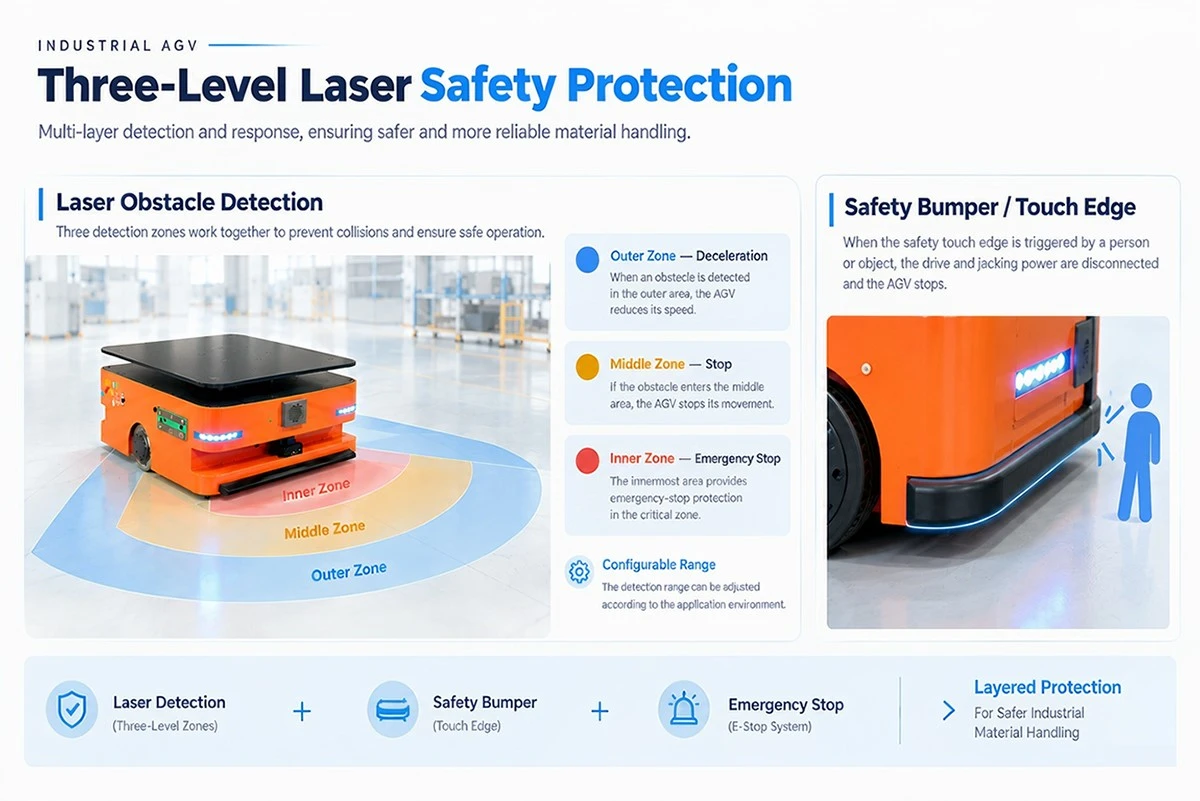
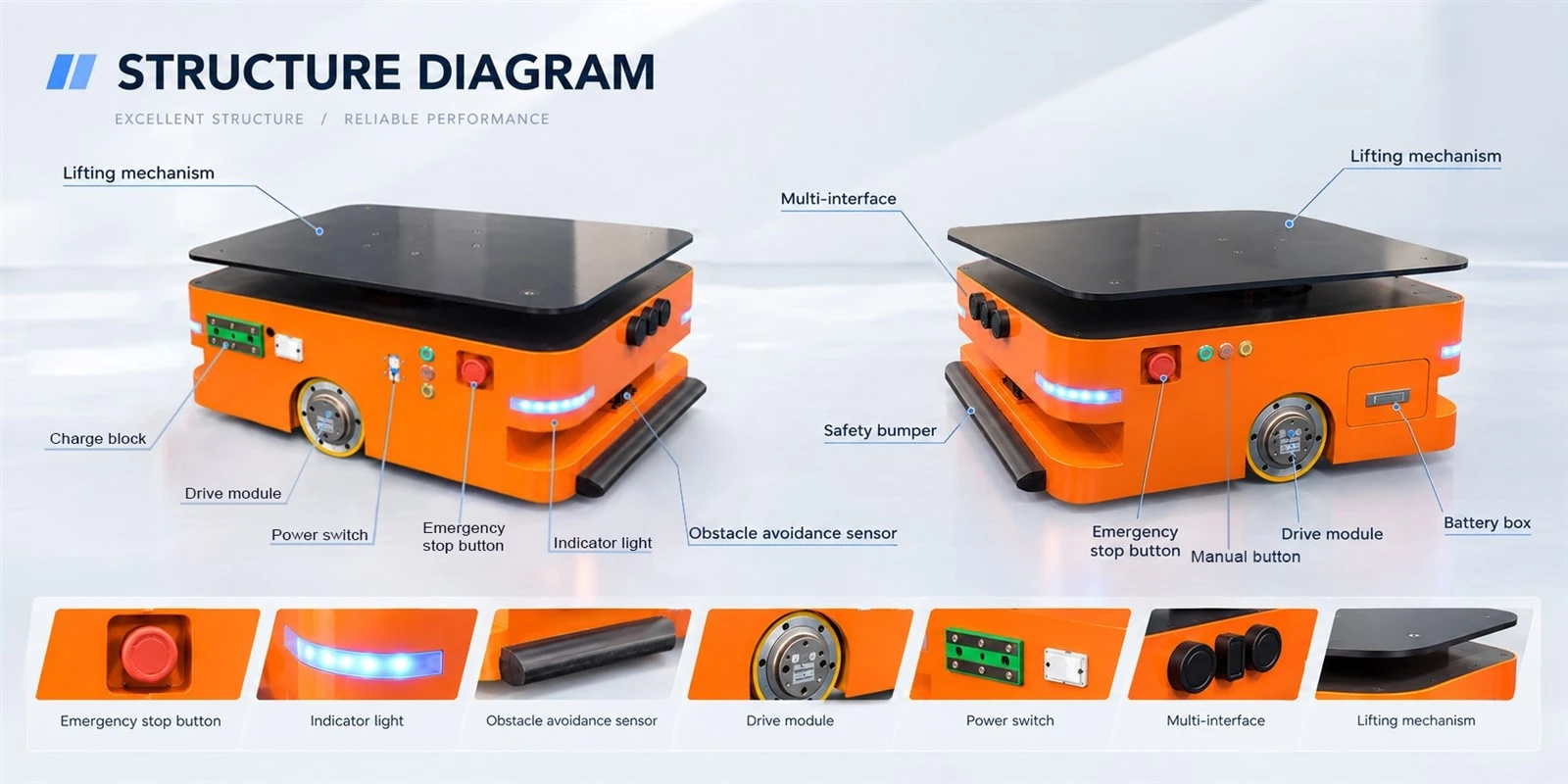
First, check the three color indicator lights: the red light is always on, indicating a fault or emergency stop status, and the fault needs to be resolved first. If it is triggered by an emergency stop, rotate the emergency stop button to reset it and then power it on again. After initialization is complete, it can continue to be used; If it is triggered for safe edge touching, the contact object needs to be removed first, and then power on again for initialization; If the obstacle avoidance sensor alarms, check if the detection window is contaminated with dust or if there are obstacles ahead, and clean the window with a soft cloth (pay attention to anti-static and avoid dust adsorption). After troubleshooting the general issue, press the yellow reset button to clear the error, and then press the green start button. The AGV will continue to run in the direction of motion before stopping. If the vehicle was executing a task before pressing the emergency stop button, it is recommended to confirm the task status on the dispatch system side after recovery.